


What are time rules?
Time rules are automation rules that aren’t action-triggered, but instead, time conditional that has high ticket volumes. They are most commonly used for help desk clean-up tasks, email reminders or follow-ups, resolving tickets that haven’t had any activity in a while or adding tags. The possibilities are endless.

Examples of time rules
Example #1
As a LiveAgent user, you can set up a time rule that will automatically send out a follow-up email 24 hours after your last interaction with a customer.
Example #2
You can also set up a time rule that will automatically mark all tickets that haven’t been responded to in 10 days as resolved.
Example #3
LiveAgent will automatically delete tickets marked as SPAM that are older than 90 days.

How do time rules work?
Once a time rule is set up, the system will automatically run periodic background checks in short intervals (usually one minute) and check if the conditions of the time rule are met. If they are, the rule is automatically executed.
Why are time rules important?
Time rules can be extremely beneficial for any business that has high ticket volumes because they can relieve agent stress and execute mundane and repetitive tasks in a short amount of time. The main benefits of time rules are:
- Improved efficiency/agent workflow
- Improved response times
- Less room for human error
- Less stress/reduced chance of burnout
- Reduced support costs and saved time
LiveAgent combines excellent live chat, ticketing and automation that allow us to provide exceptional support to our customers.Peter Komornik, CEO at Slido

Join our newsletter
The latest tips and deals delivered straight to your inbox.
What other types of rules are there in LiveAgent?
Apart from time rules, LiveAgent users can take advantage of trigger-based automation rules and SLA (service level agreement) rules. You can pre-set these rules to best fit your business and make your service ticket management software efficient.
Action rules
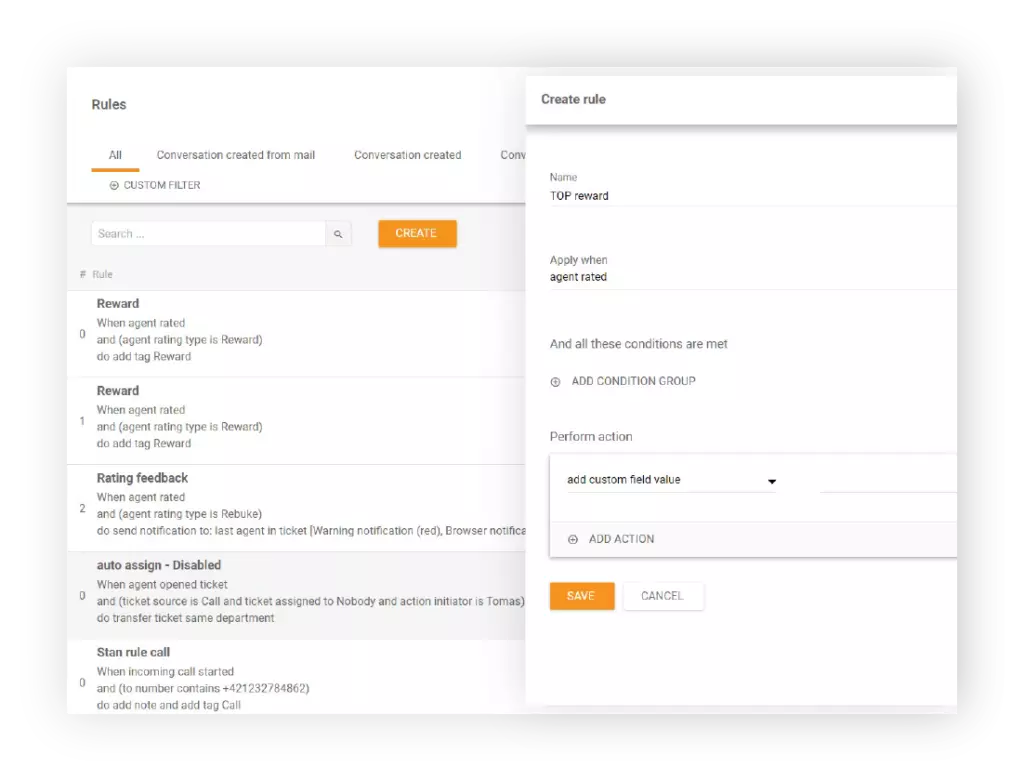
Action rules are basic action-triggered rules. LiveAgent users can set up a trigger and an action, and when the trigger conditions are met, the action is executed. For example, you can set up a rule that will automatically assign any ticket containing the words “billing” or “payment” to the billing department.
SLA rules
SLA rules can only be applied to the SLA setup and are bound to SLA levels. An example of an SLA rule could be to change the SLA level of a ticket or to stop other rules from being executed.
What can you do with time rules in LiveAgent?
Time rules can be applied when:
- A ticket is older than a specific number of days, hours, or minutes
- A ticket’s status hasn’t changed in a specific number of days, hours, or minutes