We rank vendors based on rigorous testing and research, but also take into account your feedback and our commercial agreements with providers. This page contains affiliate links. Advertising Disclosure

Squarespace Review 2026: Does It Live Up to the Hype?

Headshot of Ashleigh Naidoo Reviewed by: Ashleigh Naidoo
Headshot of Kamso Oguejiofor Written by: Kamso Oguejiofor
quotes

Squarespace is a leading website builder that blends ease of use with beautiful, ready-made designs. It’s great for creatives, freelancers, and small businesses, letting you create polished sites without coding. While it isn’t the most budget-friendly platform, its plans deliver strong value for the quality and features you get.

Overview

Squarespace at a Glance

💯Free PlanNo
💲Starting Price$16.00
📄Number of Templates180+
🔌Apps/IntegrationsYes
🛒E-commerce ToolsYes
Shared Reseller Dedicated Cloud WordPress

Squarespace Pros, Cons, & Things That Could Be Better

  • Pro templates
  • Easy page editor
  • Marketing tools
  • Complete ecommerce solution
  • Advanced blog features
  • Perfect mobile design
  • Limited design freedom
  • Premium price point
  • Paid plans only

Squarespace is widely known for its clean, visually appealing, and minimalist designs. But is that all it’s good for? I tested Squarespace’s features thoroughly to see if there’s more to the platform – short answer, there is!

Squarespace is great for creatives, freelancers, and small-to-medium businesses who want modern, polished sites. Its intuitive drag-and-drop editor makes it easy to build blogs, portfolios, e-commerce stores, and small business sites.

However, I wouldn’t recommend Squarespace for everyone. You’ll probably find it somewhat restrictive if you’re a professional designer looking for full control over your site. It’s also quite pricey but it gives you value for your money.

So, is it a wise investment for you, or should you start looking elsewhere? You’ll find the answers in this Squarespace review – read on.
5.0

Templates

Great Aesthetics, Limited Customization

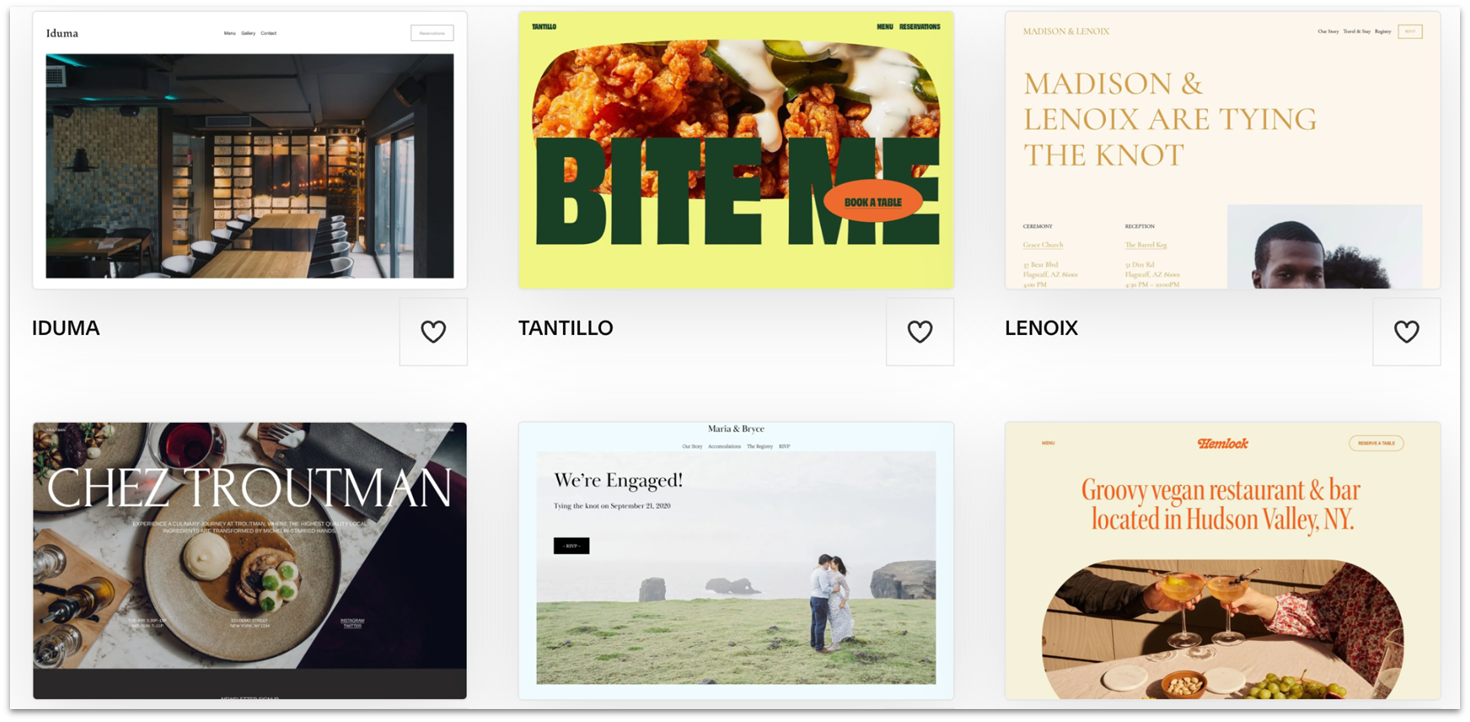
Grid of customizable templates from Squarespace.
Squarespace’s templates stand out for clean design

Squarespace has 180+ templates, grouped into 19 style categories (like “photography” or “entertainment”) and 9 functional types (like blogging or e-commerce) for easy browsing.

Squarespace’s templates are customizable yet minimalistic – they don’t clutter pages with unnecessary elements. Their strategic combination of fonts, colors, images, and white space effectively guides visitors’ attention to key content.

If you don’t like any of the available templates, you can design a tailored site with Squarespace Blueprint AI. However, if you don’t have design experience, you might accidentally mess up the balance of elements when customizing your site. So I suggest starting with small changes and taking it slow.

Design and Customization

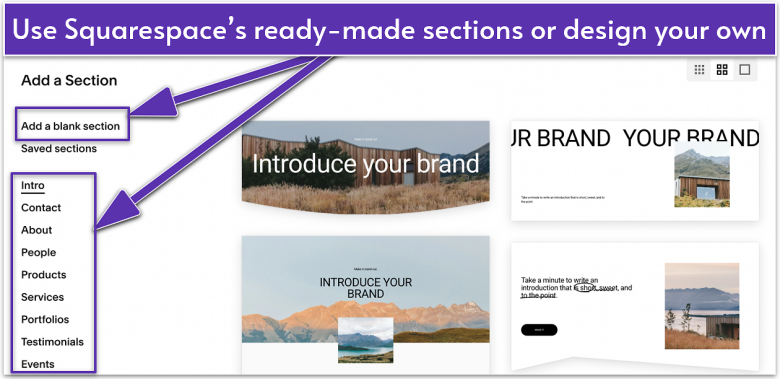
Squarespace has pre-configured blocks for text, images, buttons, newsletter signup forms, social media feeds, scheduling tools, and restaurant menus. It also has pre-made sections for portfolios, testimonials, events, donations, and products, making it easy for you to start designing your website.

Squarespace's editor interface, showing how to add sections to a template.
Squarespace’s editor lets you add sections easily

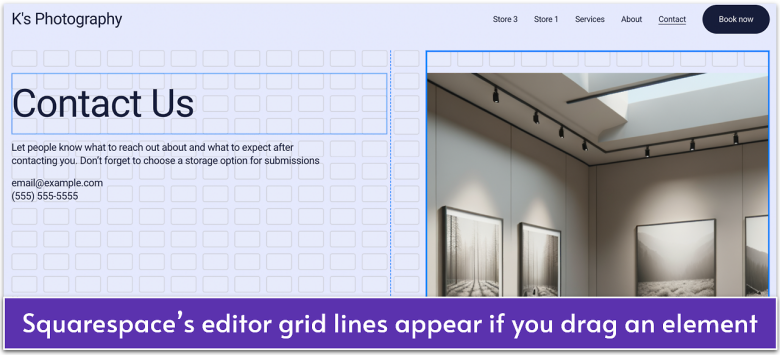
In the Squarespace editor, elements snap to a grid system to maintain consistent spacing and alignment. You can approach layout creation in two ways: either use pre-designed section layouts and customize them to your needs, or start with a blank section and build your layout from scratch using columns, spacing, and content blocks.

Squarespace's editor interface, showing its grid lines.